


WGN-TV
3.3816.00 Reviews
App Specs
- Version
- 510.0.1
- Updated On
- License
- Free
- Downloads
- 100,000+
- Developer
- Nexstar Inc.
- Categories
- News & Magazines
- Platform
- Android
Screenshots
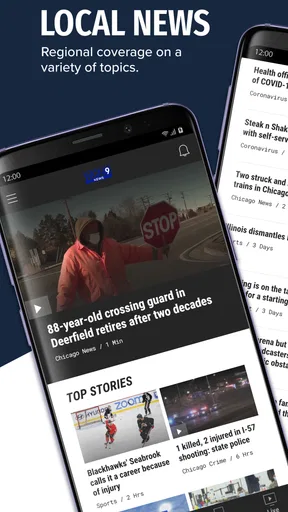
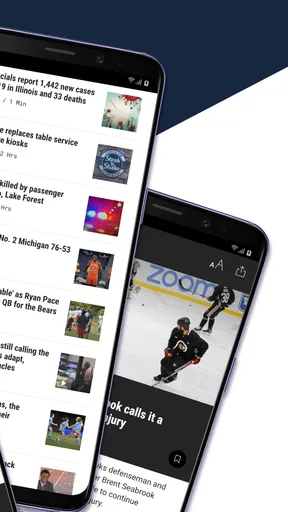
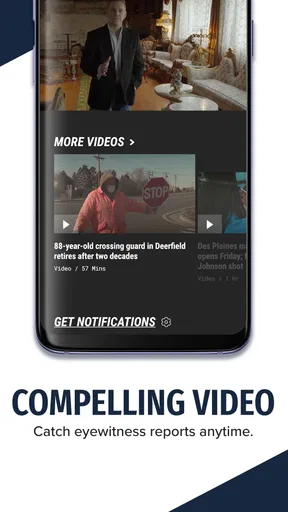
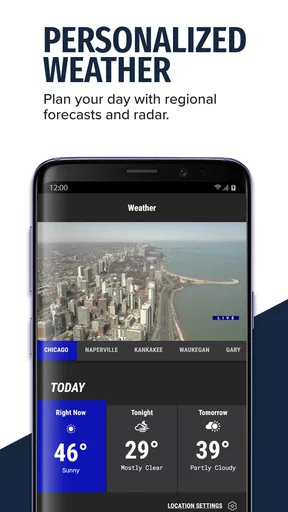
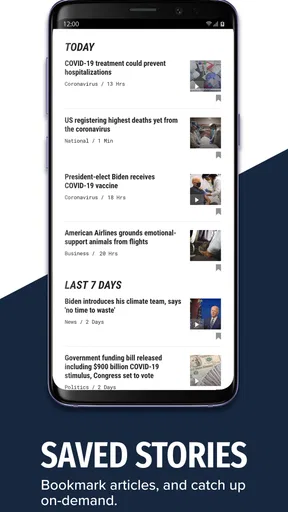
 Analysis by AppCompare
I use WGN-TV as a focused way to keep up with Chicago news rather than as a replacement for every news source on my phone. Its purpose is clear: it brings WGN-TV coverage, breaking-news alerts, and livestreaming into one mobile app. That focus is its biggest strength, but it also explains why the experience will feel more useful to Chicago-area viewers than to someone looking for a broad national news reader.
WGN-TV is a free News & Magazines app from Nexstar Inc. It has been available since March 11, 2013, and the current Android release is version 510.0.1. The app is marked for Teen users and requires Android 7.0 or later. With more than 100 thousand installs and an average score of 3.3 from roughly 2.3 thousand ratings, it has a real audience, although the rating suggests that the experience is not equally satisfying for everyone.
How WGN-TV fits into everyday news use
I treat WGN-TV as a local checkpoint, not a feed I need to keep open all day. In this section, I’m looking at how its Chicago focus can fit around ordinary routines, from a quick morning scan to deciding whether a developing story merits more attention. That practical role also helps clarify what the app’s current version represents—and what longtime users should reasonably expect from it.
A local-first news screen
What I like most is that the app does not make me work through a huge national feed before reaching the information that matters locally. If I want Chicago-area reporting, weather-related updates, local developments, or the station’s live coverage, the app’s identity is immediately understandable. That makes it more purposeful than a general news aggregator, where local stories can be buried under national headlines and opinion pieces.
The app’s connection to WGN-TV also gives it a familiar broadcast-news character. I can approach it as a companion to the station: read updates when I have a minute, check for an alert when something is developing, and use the livestreaming option when watching coverage makes more sense than scanning text. That combination is more practical than relying on a television schedule alone.
In my experience, the best way to think about this app is as a local information tool with a live component, not as a complete digital newspaper. It is built around the WGN-TV news operation, so its usefulness depends heavily on whether Chicago coverage is what I want. Someone in another region may still install it out of interest, but the central value is clearly local.
What the free price really means
The app is free to download and use, which makes the decision uncomplicated for a Chicago viewer who wants to try it. There is no purchase price to weigh against the basic experience, so I can install it, explore the news feed, test the alerts, and see whether the livestream fits my routine without committing money first.
Worth Reading Before You Choose

EA SPORTS FC Mobile 26 Is a Bigger Football Game, but It Takes Time

Flipboard Shows What News Apps Must Do Beyond the Feed

Switching to Android Auto Means Rethinking Your Driving Routine

Google Calendar Makes a Crowded Week Easier to Manage

Ludo King Makes the Most of the Minutes Between Plans

Baby Panda World Brings Quick Play to Modern Phones, but Its Game Library Feels Busy
That free access is important when comparing it with paid news products. A subscription newspaper may offer deeper investigations, a larger archive, or fewer interruptions, while a television station app serves a different purpose. WGN-TV is attractive when I want timely local awareness without adding another paid service to my monthly expenses. Its value comes from access and convenience rather than from a premium membership proposition.
I would still avoid assuming that “free” automatically means it will replace every other source. The app’s role is narrower. If I need extensive national reporting, long-form analysis, or a broad collection of publications, I would use a general news app or a newspaper service alongside it. The absence of a purchase cost makes WGN-TV easy to add to that setup, but it does not turn it into an all-purpose news subscription.
Alerts need to serve you, not interrupt you
Breaking-news alerts can be one of the most useful parts of a local station app, especially when a developing event affects travel, work, school, or family plans. They can also become annoying if every notification feels equally urgent. My practical advice is to treat alerts as a personal filter: keep them on if you need immediate local awareness, but review the notification controls early and reduce anything that does not help you make a decision.
This is a small but meaningful workflow difference. Instead of opening the app only when I remember, I can let it bring important local developments to me. The trade-off is that notifications demand attention, so the app works best when I decide in advance what kind of interruption is worthwhile. For someone who already feels overwhelmed by alerts, a quieter news reader may be a better fit.
Livestreaming is valuable in the right moment
The livestreaming option changes how I use the app during an active story. Reading a headline gives me a quick summary, but live video can provide a stronger sense of what is happening and how the station is presenting the coverage. I find that especially useful when I am away from a television but still want to follow WGN-TV’s ongoing broadcast presence.
There is a clear trade-off, though. A live stream asks for more time and attention than a short article or notification. It is not the efficient choice when I only need one fact while walking between tasks. I use the written coverage and alerts for quick checks, then move to the stream when the story is significant enough to justify watching. That simple division keeps the app from becoming a constant background distraction.
It also means the app serves two different habits: quick local monitoring and active viewing. People who only want headlines may barely use the livestreaming side, while viewers who prefer broadcast context may consider it the main reason to install the app. The value depends less on having every feature open all day and more on matching each feature to the moment.
A realistic morning routine
Imagine a Chicago commuter checking the phone before leaving home. The first useful action is a quick look at current local stories, followed by a decision about whether any alert or developing report affects the route or schedule. If a major event is unfolding, the person can open the live coverage while getting ready. If nothing is relevant, the app can be closed without turning the morning into a long news session.
That routine shows where WGN-TV earns its place. It combines a brief check, optional notifications, and a live viewing path without requiring me to search across several unrelated apps. I would not use it to read every story in the world before breakfast, but I would use it as a local checkpoint before making plans.
Where it differs from general news alternatives
A general news aggregator usually wins on breadth. It can combine national, international, business, technology, sports, and local stories from multiple publishers. That is better when I want one broad dashboard or when I do not have a strong connection to Chicago. The downside is that local coverage may be less prominent, and the reading experience can feel crowded.
A newspaper app may be stronger for detailed reporting and carefully organized sections, particularly if I am willing to pay for a subscription. WGN-TV takes a different route: it is a free station companion that emphasizes immediacy, local identity, alerts, and live viewing. I would choose it over a newspaper app when I want quick broadcast-linked updates, but I would not choose it as the only source for deep background reading.
Other television station apps may be more useful for people who live outside the WGN-TV coverage area. The important distinction is not that one format is universally better. It is that WGN-TV makes sense when the station’s Chicago perspective is the perspective I actually need. For a local resident, that specialization can be an advantage rather than a limitation.
Small habits that improve the experience
My first tip is to test the app at a calm time instead of waiting for a major event. That lets me see how the written news area, alerts, and livestreaming fit together before I need them urgently. A few minutes of setup can prevent the common mistake of installing a local news app only during a crisis and then discovering that its notification behavior does not suit me.
My second tip is to separate “I want to know” from “I want to watch.” Alerts and short reports are efficient for awareness. The livestream is better when I want context or continuing coverage. Treating those as separate modes makes the app feel lighter and helps me avoid spending time on video when a quick update is enough.
My third tip is to keep a second source for stories that affect important personal decisions. WGN-TV can be a useful starting point for local awareness, but I would cross-check details when the information concerns travel changes, official instructions, health matters, or anything that could change quickly. That is not a criticism unique to this app; it is a sensible habit with breaking news in general.
A fourth practical insight is to judge the app by how often local information changes my actions, not by how long I spend inside it. A good station app may be successful if it gives me one timely alert and lets me leave. Measuring value by screen time would reward unnecessary browsing, while the real benefit is fast awareness when it counts.
Limitations I would consider before installing
The most obvious limitation is its narrow geographic focus. If I do not care about Chicago news or WGN-TV coverage, the app has less reason to occupy storage and notification space on my phone. A national news reader, local app for my own city, or a broader broadcaster may serve me better.
The moderate average rating also tells me to keep expectations realistic. The app is established and widely installed, but not every user has found it ideal. Ratings can reflect different phones, habits, expectations, and reactions to updates, so I would not treat the score as a final verdict. I would use the free access to test the parts that matter to me, especially alerts and live viewing.
Another limitation is the balance between immediacy and depth. A station-centered app is well suited to current developments, but I would not expect it to replace a publication chosen primarily for extensive analysis. If my main goal is research, long reads, or comparing many editorial viewpoints, I would look elsewhere and use WGN-TV as a local supplement.
The Teen content rating is also worth noting for households deciding what to place on a shared device. News can involve serious or disturbing subjects, and parents should consider whether the app’s coverage style is appropriate for younger family members even when the app itself is easy to download.
Who gets the most value from it
I think WGN-TV is a strong candidate for Chicago residents who want a free local news companion and appreciate having both alerts and a livestreaming route. It is especially practical for people who already recognize WGN-TV as a trusted part of their local news routine and want that coverage available away from the television.
It can also help commuters, families, students, and anyone whose day is affected by fast-moving local events. The key benefit is not endless content; it is having a direct path to local updates when timing matters. Someone who checks news in short bursts may get more from it than someone who wants to spend an hour reading a wide range of subjects.
I would recommend skipping it if I lived far from Chicago and had no particular reason to follow WGN-TV. I would also skip it as my only news app if I wanted international coverage, extensive opinion sections, or a deep newspaper-style archive. In those cases, a broader alternative would be more efficient, with WGN-TV added only if its local angle became useful.
My verdict on the free download
WGN-TV is worth trying when Chicago news, breaking alerts, and station-linked livestreaming are exactly what I need. Because it is free, the risk of testing it is low, and I can quickly decide whether its local focus fits my routine. I would install it for timely awareness, use alerts selectively, and open the live stream when a developing story deserves more than a headline.
I would not describe it as a universal news replacement. Its strongest quality is specialization, while its main weakness is that the same specialization limits its usefulness outside the WGN-TV audience. The current version, broad Android compatibility from Android 7.0 onward, and established install base make it accessible to many users, but accessibility is not the same as a perfect fit.
My final recommendation is simple: Chicago viewers should give it a fair trial, especially if they want a no-cost way to combine local reading, breaking notifications, and live coverage. Viewers seeking a broad, deeply analytical, or city-independent news experience should choose a different primary app. For the right person, WGN-TV is a practical local checkpoint; for everyone else, it is likely to feel too specialized.
Pros
- Live local news
- weather
- and traffic updates in one app.
- Covers Chicago-area stories with a strong local focus.
- Video clips make it easy to catch up on major reports.
- Weather forecasts include radar and severe-weather alerts.
- Free to download and available on both major mobile platforms.
Cons
- Some content may require a stable internet connection to load smoothly.
- Frequent notifications can feel excessive unless customized.
- Advertising may interrupt browsing or video playback.
- Coverage is primarily useful for viewers in the Chicago region.
- App performance and features may vary after updates.
FAQs for WGN-TV
What is the WGN-TV app used for?
The WGN-TV app is designed to keep users updated with local news, weather forecasts, traffic information, sports coverage, and stories from the Chicago area. During major events, it may also provide live video, breaking-news alerts, and updates from WGN-TV journalists. The exact content and available features can vary depending on your location, device, and current station programming.
Is the WGN-TV app free to download and use?
The WGN-TV app is generally free to download from the official Android or iOS app store. Most news articles, weather information, videos, and alerts can typically be accessed without paying a subscription. However, mobile data charges may apply when streaming video or receiving content over a cellular network. Availability of certain features may also change over time.
Does WGN-TV provide live streaming through the app?
The app may offer live coverage during breaking-news events, special reports, or selected WGN-TV broadcasts, but live-streaming availability is not necessarily constant throughout the day. Some streams can be restricted by location, broadcast rights, or television-provider requirements. Before downloading, users should check the current app description and confirm whether live content is available in their area.
Can I receive breaking-news and weather alerts from WGN-TV?
Yes, the WGN-TV app can provide push notifications for important local news, severe weather, traffic incidents, and other urgent updates. Notifications are usually optional, so you can enable or disable them in the app or your phone’s system settings. If you want timely warnings, allow notification permissions and review the alert categories to avoid receiving information you do not need.
Does the WGN-TV app require an account or work outside Chicago?
Many basic features, such as reading news stories and checking forecasts, may be available without creating an account. Some personalized functions or notification settings could require additional permissions or sign-in options. The app can generally be installed outside Chicago, but its strongest focus is local coverage for the Chicago region, and some content or live broadcasts may be geographically limited.


